
Live television
Browse supported channels across available categories and regions.
Discover an internet-based television service designed to bring live channels and on-demand entertainment together in one place.
Prime IPTV provides access to live television, sports, films, television series and international programming through an internet connection. Depending on the available content, compatible device and connection quality, supported streams may be available in HD or up to 4K resolution.
Choose a subscription duration and device allowance that suits your requirements, then follow the relevant installation instructions to configure a compatible IPTV player.
Compare the available subscription durations and device allowances before selecting a plan. Your total price depends on how long you subscribe and how many devices your selected plan permits.
| Subscription | 1 device | 2 devices | 3 devices |
|---|---|---|---|
| 1 month | £12 | £20 | £25 |
| 3 months | £22 | £35 | £50 |
| 6 months | £35 | £60 | £90 |
| 12 months | £50 | £80 | £120 |
Prices are displayed in pounds sterling. Review the subscription terms, supported devices and applicable conditions before placing an order.
Choose a compatible device and IPTV player based on your preferred viewing setup. Application availability and functionality may vary by device model, operating system and software version.

Compatible Samsung and LG televisions may support IPTV players such as IBO Player or Smart IPTV. Check your television's application store and the relevant player requirements before installation.

Use a compatible IPTV application on supported Amazon Fire TV devices. Follow the Firestick setup instructions for help installing and configuring the player.

Compatible Android TV devices can run supported IPTV applications for accessing available live television and on-demand media.

Check the availability of compatible IPTV players for Apple TV, iPhone and iPad. Supported features can differ between applications and operating systems.

Access supported content through a compatible application on your mobile device, subject to your subscription terms and the application's requirements.

Additional streaming hardware may be supported where a suitable IPTV application is available. Check compatibility before purchasing or configuring a device.
An IPTV player is the application used to organise and play compatible IPTV streams. The player and the content service are separate components, so choosing an appropriate application is an important part of setup.
IPTV Smarters Pro is an IPTV player used on supported devices. Its interface provides access to compatible services when the application, device and service support the required configuration.
TiviMate is an IPTV player designed primarily for Android TV environments. Its features include an organised television guide, with functionality depending on the version and configuration.
IBO Player is available for certain compatible Smart TVs and other supported platforms. Check its current device requirements, activation arrangements and applicable application fees.
Visit the setup guides for instructions relevant to your device and chosen application.
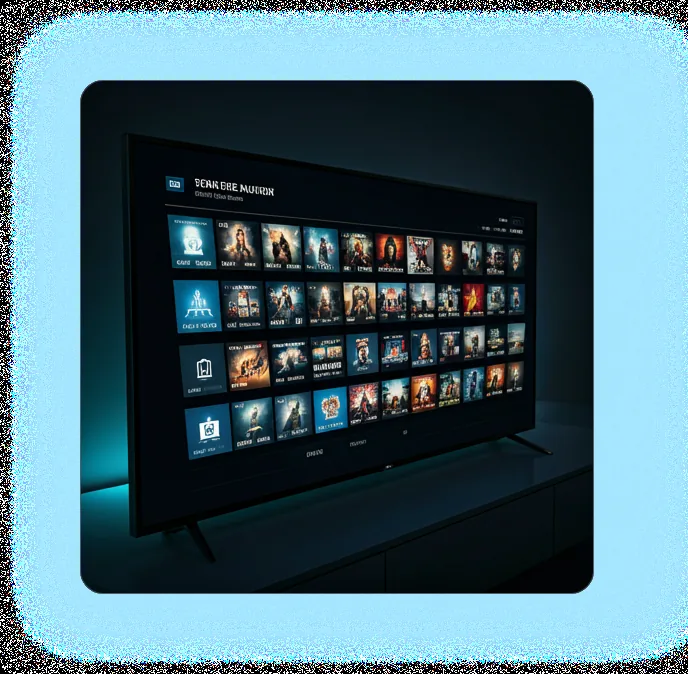
Internet Protocol Television (IPTV) is a method of delivering television and video content through internet networks rather than relying exclusively on traditional terrestrial, satellite or cable distribution.
An IPTV service can provide live television, scheduled programmes and on-demand video, depending on the content available and the service's capabilities.
To use a compatible IPTV service, viewers generally need an internet connection, a supported device and an appropriate application or player. The precise setup process depends on the provider and platform.
Browse supported channels across available categories and regions.
Find sporting broadcasts where the relevant events and channels are included in the service.
Explore available on-demand entertainment, subject to the current catalogue.
Watch supported content at the resolution delivered by the source and supported by your device and connection.
Content availability, video quality and viewing features can vary. Confirm that the service is authorised to distribute the content it offers in your location.
A useful streaming setup depends on more than the number of channels available. Device compatibility, network conditions, clear subscription terms and accessible support all matter.

The service describes its infrastructure as using servers in multiple locations. Actual performance depends on the infrastructure in use, network routing, service capacity and your internet connection.

A stable broadband connection and suitable device can help reduce buffering. Wi-Fi interference, network congestion, device limitations and source quality may still affect playback.

Access from different countries depends on the service's supported regions, content distribution rights and applicable local requirements. Confirm availability before subscribing or travelling.

Select a subscription that matches the number of devices permitted under its terms. Check whether the allowance covers simultaneous viewing, separate registrations or another defined usage arrangement.

Support should help customers understand installation, compatible applications and common playback issues. Confirm the available support hours and contact channels before purchase.

Account activation is described as normally taking around 15 minutes after payment confirmation. Actual processing times should be confirmed before this statement is relied upon as a service commitment.
Before selecting an IPTV service, consider the factors that will make a practical difference to your viewing experience.
These considerations help you assess whether a service suits your needs without relying on unsupported performance guarantees.
The content available through an IPTV service depends on its current catalogue, regional permissions and distribution arrangements.
Access supported news channels and programmes from available regions.
Browse sporting channels and events included in the authorised content offering.
Explore available films across the genres and categories provided.

Find children's and family-oriented programming where available.

Discover supported music channels, performances and related programming.
Explore television content from different countries and languages, subject to availability and distribution rights.
Channel listings and programme availability may change.
An Electronic Programme Guide (EPG) displays scheduling information for supported television channels.
Where available, the guide can help you check what is currently showing and see upcoming programmes without opening each channel individually.
EPG coverage depends on the channels, programme data and player configuration. Some channels may have incomplete or unavailable scheduling information.
The general setup process involves selecting an appropriate plan, preparing a compatible device and configuring a supported player.
Review the available durations, device allowances, total cost and terms. Choose the option that matches your intended usage.
Follow the provider's checkout instructions and confirm the payment method, subscription details and any applicable conditions.
Choose an IPTV application that supports your device. Follow the appropriate installation guide and check that the application is available through a legitimate distribution channel.
Once the provider has activated your account, follow its instructions to enter the supplied connection details into the compatible player. Keep your login credentials private and use them only in accordance with the service's terms.
Open the application and verify that the supported channels and features work as expected. If you encounter problems, check your connection, application settings and device compatibility before contacting support.
Prime IPTV describes its offering as intended for viewers in the UK and selected international markets. The listed target locations are the UK, USA, Canada, Australia, France, the UAE, Spain and Germany. Actual service availability should be confirmed for each country.
Prices on this page are shown in GBP. International customers should confirm the final amount and any applicable payment or currency-conversion charges before completing an order.
Depending on the current catalogue and applicable rights, an IPTV service may organise content into categories such as:
These are content categories, not a guarantee that every channel, event or programme is included.
| Feature | What to check |
|---|---|
| Account activation | Confirm the expected processing time after payment. |
| Subscription durations | Compare monthly, quarterly, six-month and annual options. |
| Device allowances | Check the number of permitted devices and any simultaneous-streaming limits. |
| Video resolution | Confirm the resolutions supported by the available content. |
| Programme guide | Check EPG availability and channel coverage. |
| Customer support | Review the published support hours and contact methods. |
| Catch-up viewing | Confirm whether the feature is available, which channels support it and how long recordings remain accessible. |
| Payment methods | Check the options actually offered at checkout and the applicable terms. |
Use the relevant guide for your device or application. Each guide explains the supported installation process, required settings, troubleshooting steps and any limitations.
Learn how to install and configure a compatible IPTV player on a supported Amazon Fire TV device.
Read the guide →Review the steps for installing and configuring IPTV Smarters Pro on a compatible platform.
Read the guide →Follow the instructions for installing and configuring TiviMate on a supported Android TV device.
Read the guide →Find installation and configuration guidance for compatible devices supported by IBO Player.
Read the guide →Learn how to configure a compatible IPTV application on a supported Samsung television.
Read the guide →Review the setup process for compatible IPTV applications on supported LG webOS televisions.
Read the guide →Learn how to install a compatible IPTV application and complete the initial configuration on Android TV.
Read the guide →Explore the available configuration instructions for compatible IPTV applications on Apple TV and supported iOS devices.
Read the guide →At least 15 Mbps is recommended for HD streaming. Higher-resolution video, particularly 4K, generally requires a faster and stable connection. Actual requirements vary with encoding, bitrate, network conditions, Wi-Fi performance and device capabilities.
Treat 15 Mbps as a recommendation rather than a guarantee of uninterrupted playback.
Compatible Amazon Fire TV and Firestick devices are supported through supported IPTV applications. Check the application requirements and follow the relevant setup guide for your device model.
The subscription table includes plans for one, two and three devices. Review the selected plan’s terms to confirm permitted registrations, simultaneous connections and any other device restrictions.
Activation normally takes approximately 15 minutes after payment confirmation. This timeframe should be confirmed, as processing can vary.
Assistance is available with installation and streaming-related questions. Confirm the actual support hours and available contact channels before relying on round-the-clock assistance.
The general process is to install a compatible IPTV player, configure it using the supplied service details and check playback. The exact steps depend on the device and application. Use the setup guides for platform-specific instructions.
Prime IPTV is an internet-based television service offering access to live television and on-demand entertainment on compatible devices. The available content depends on the current catalogue and distribution rights.
IPTV delivers television or video through internet networks. A compatible device and application can receive and play supported streams from a service that is authorised to distribute the content.
Selected content is available in up to 4K resolution. Actual picture quality depends on the source stream, device support, application and available bandwidth. Not every channel or programme should be assumed to be available in 4K.
Compatible Amazon Fire TV devices are listed as supported. Verify application compatibility for your particular device and operating system.
Compatible Smart TVs, Amazon Firestick and Fire TV, Android TV, Apple TV, smartphones and tablets are listed as supported. Support should be confirmed for each model and application.
IPTV Smarters Pro, TiviMate and IBO Player are examples. Compatibility depends on the application, device and service configuration. Confirm current availability and any separate application fees.
At least 15 Mbps is recommended for HD viewing, with a faster stable connection recommended for 4K. Network congestion, Wi-Fi quality, stream bitrate and device performance can affect results.
The estimate is approximately 15 minutes following payment confirmation. Confirm this estimate before ordering.
Plans list one-, two- and three-device options. Check the specific plan terms to establish how device registrations and simultaneous viewing are handled.
Support is available for setup and streaming-related questions. Published support hours and response times should be verified.
Access depends on the service's supported regions, content rights, network availability and applicable local requirements. Confirm the terms before using the service abroad.
IPTV is a content-delivery technology and is not inherently unlawful. The legality of a particular service depends on the content being supplied, the relevant distribution permissions and the laws that apply in each location. Customers should choose services that are authorised to distribute their content.
Review the subscription options, check device compatibility and read the relevant setup instructions before deciding which plan suits your requirements.
Make sure you understand the full price, renewal arrangements, supported features and applicable terms before placing an order.
IPTV Prime is presented as an internet-based entertainment service for compatible devices, offering access to international channels and supported HD and 4K content, with subscription options and installation guidance.
For accurate information about available channels, subscription conditions, customer support and business ownership, consult the relevant verified website pages.
Content availability, supported channels, programme schedules, streaming quality and application compatibility may change. Actual performance depends on the source content, device, network and service configuration.
Confirm the service's distribution rights, subscription terms, refund policy and privacy practices before purchasing or using the service.
Users should comply with applicable laws and the terms governing the content they access.
10,000+ Channels • HD & 4K • Premium Streaming